See our product roadmap for what’s planned, how we release, and when to upgrade.
View the roadmapCRUSH
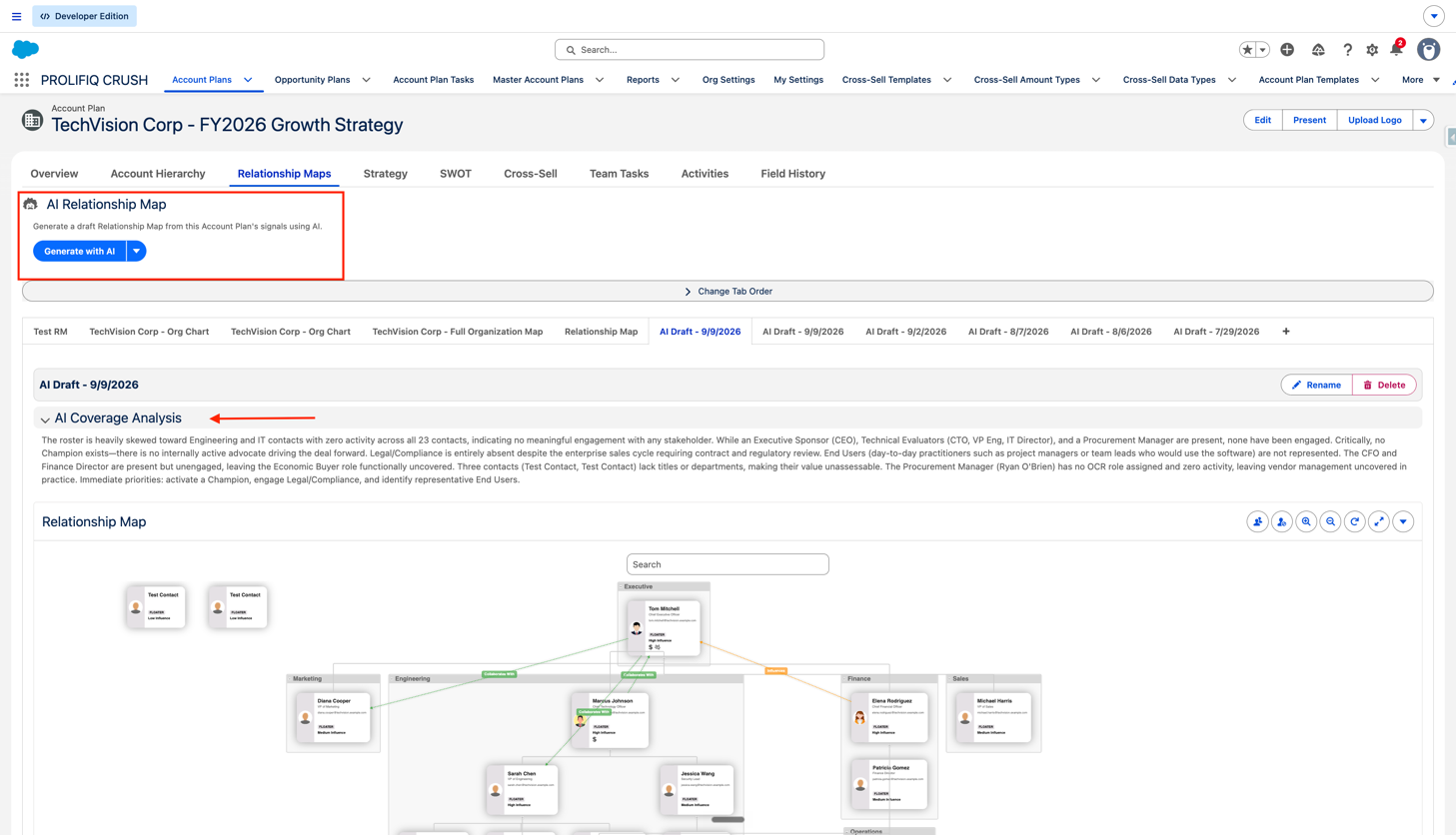
Users can now generate draft Relationship Maps from Account Plan data using AI. From an Account Plan, click Generate with AI. The system analyzes CRM signals such as contact roles, recent activities, and team structure to suggest who should be on the map, how they relate to each other, and where coverage gaps may exist. The generated map is a starting point. Users can review, edit, rename, or delete the AI draft just like any other Relationship Map in CRUSH.
How to enable: A CRUSH administrator must turn on Enable AI Map Generation in CRUSH Settings → AI, then assign the CRUSH AI User permission set. Disabled by default. Requires the AI Access entitlement.
Key Highlights
Q: Does this feature require any additional licenses?
Yes. The AI feature requires the AI Access entitlement to be enabled for your organization, along with the appropriate CRUSH user license assignment. Contact Prolifiq and our team will enable the AI Access entitlement for your organization and guide you through the remaining setup, including administrator settings and user permission assignment.
Q: How much does the AI Relationship Map license cost?
The AI Relationship Map licenses are free for customers to start. Future licensing and pricing will be determined during renewals or through a separate order form depending on usage.
Q: Is there a limit on the number of AI Relationship Maps?
To start, there are no limits on the number of maps customers can generate. However, we do monitor usage and may limit customers on a case-by-case basis.
For how AI Map Generation handles data and privacy, see the AI Relationship Map security overview.
CRUSH
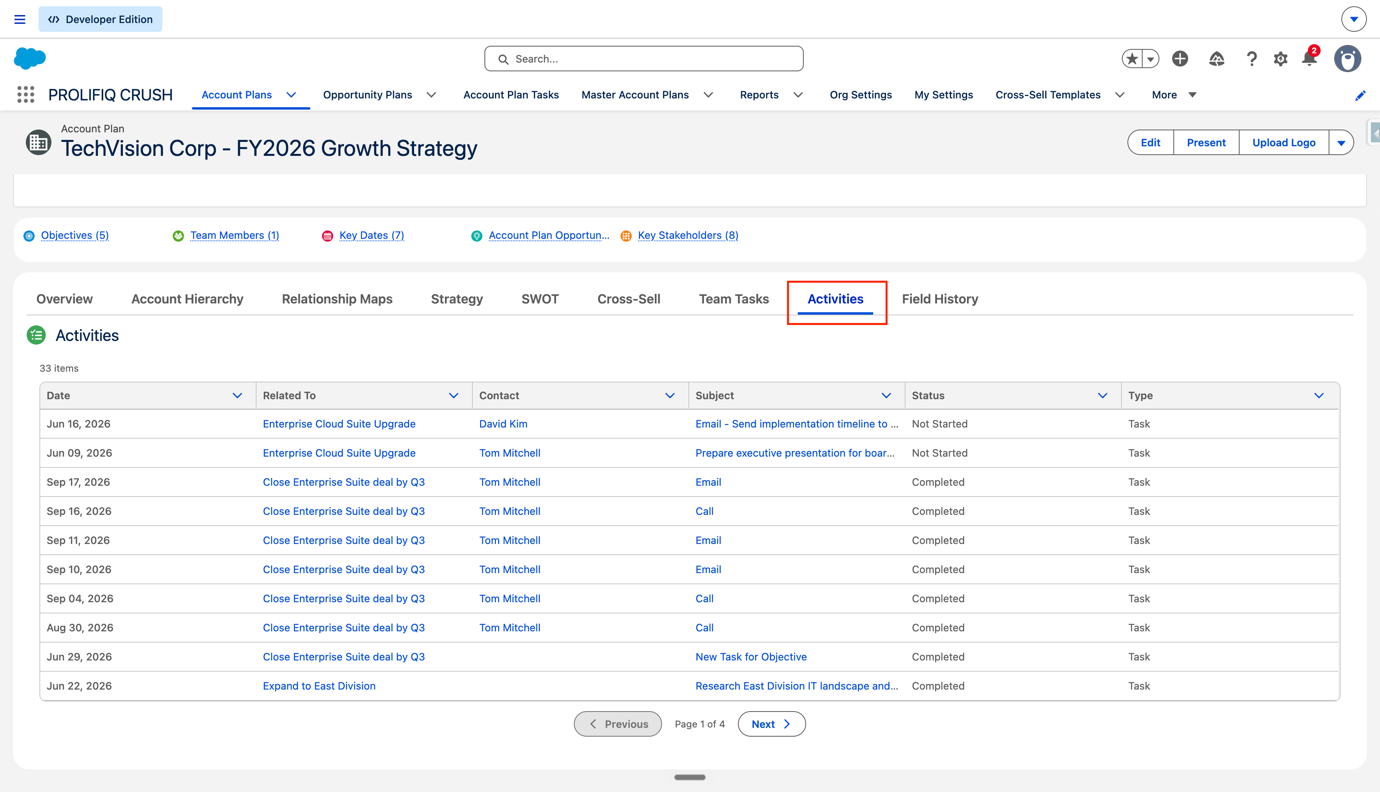
A new Activities tab on Account Plan pages brings together Tasks and Events from your plan's Objectives and related Opportunities into a single list.
How to enable: A CRUSH administrator can turn on Show Consolidated Activities on Account Plan in CRUSH Settings → General. Disabled by default.
CRUSH & Relationship Map
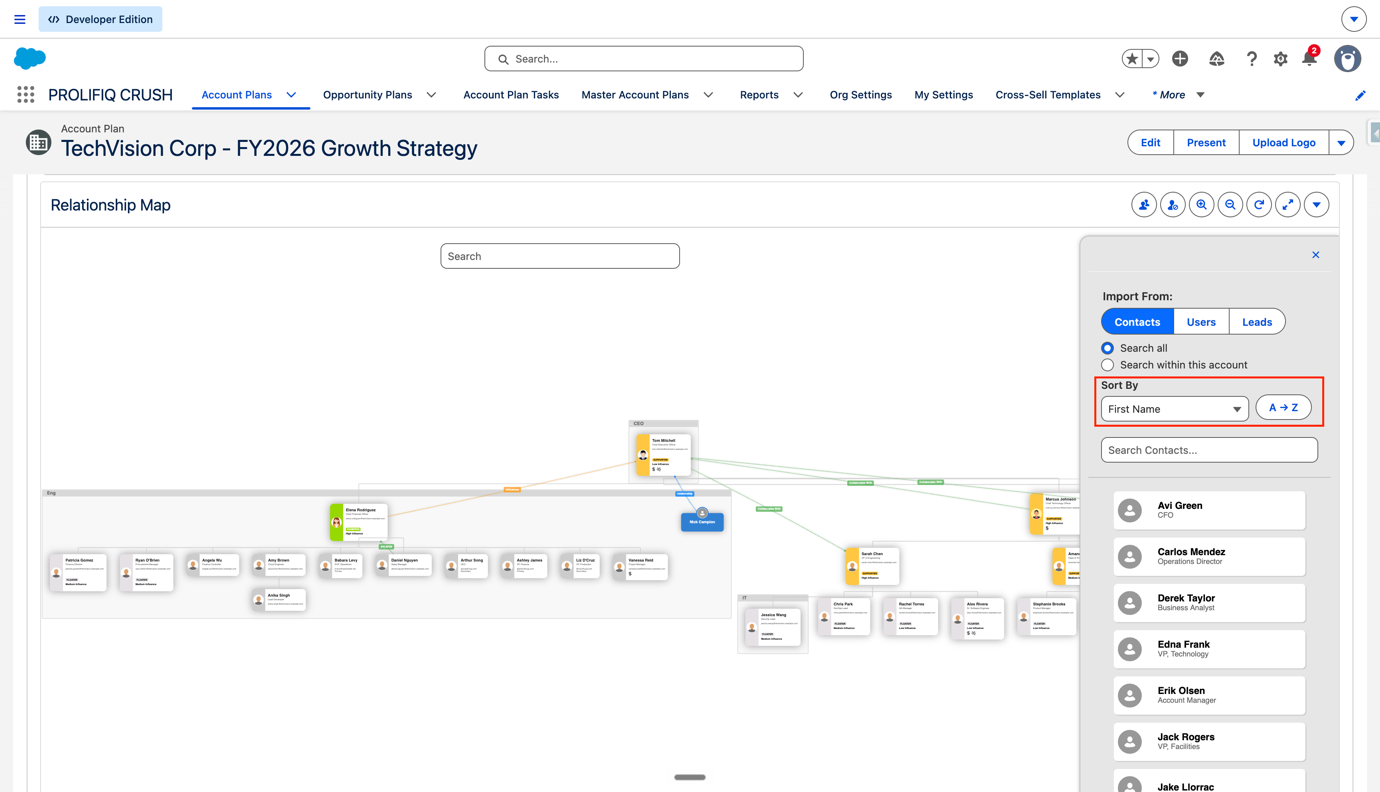
The contact import sidebar now offers a focused Sort By menu instead of the previous long list of all Contact fields: First Name, Last Name, Job Title, Date Added, Last Activity, and None. A direction toggle switches A → Z / Z → A for text fields, or Newest / Oldest for date fields. Sorting applies to the contact import sidebar in Contacts mode only and does not affect Group By or the map layout.
CRUSH & Relationship Map
Fixed an issue where the default Influence and Support Matrix was not created during package upgrades in certain scenarios. The post-install script now runs matrix creation on every install and upgrade with duplicate prevention.
CRUSH
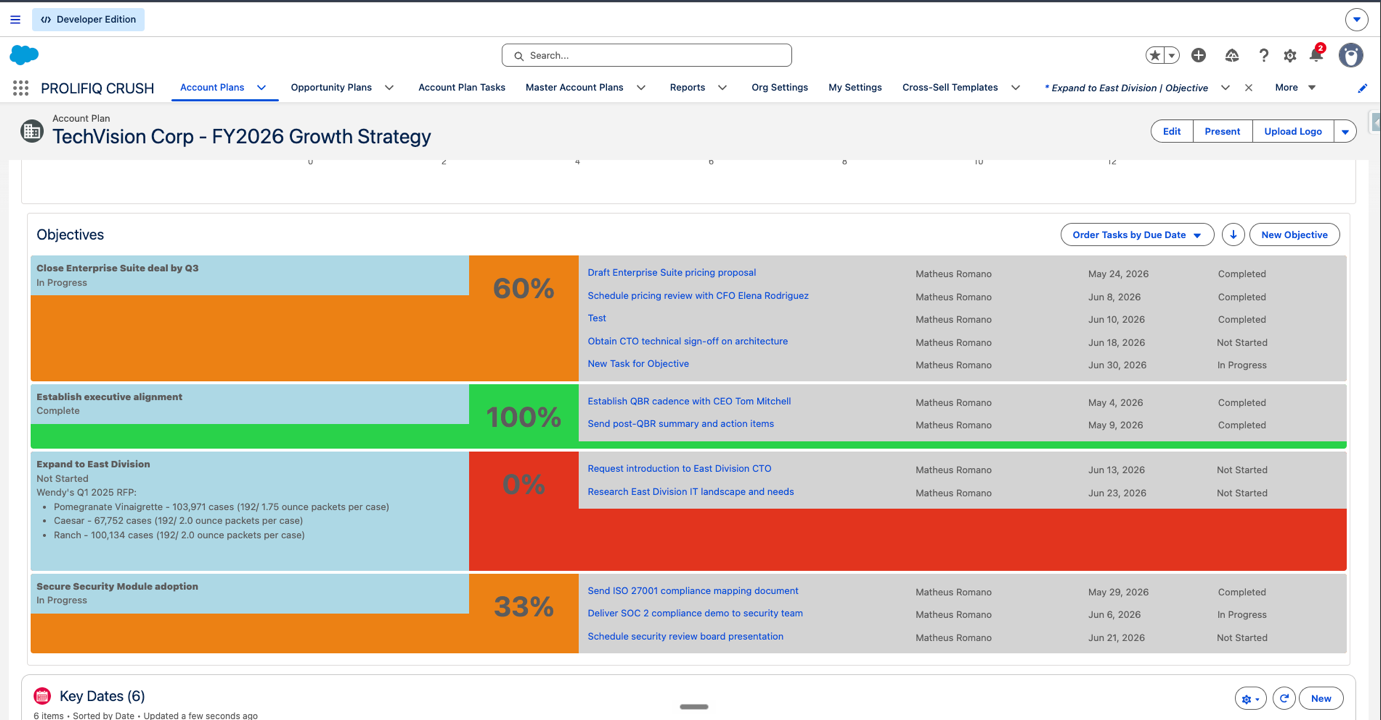
Fixed an issue where the progress color indicator bled across the entire row when objectives had long descriptions. The color now appears only in the progress percentage column. The Objective Summary chart is constrained to a reasonable height.
Before the fix:
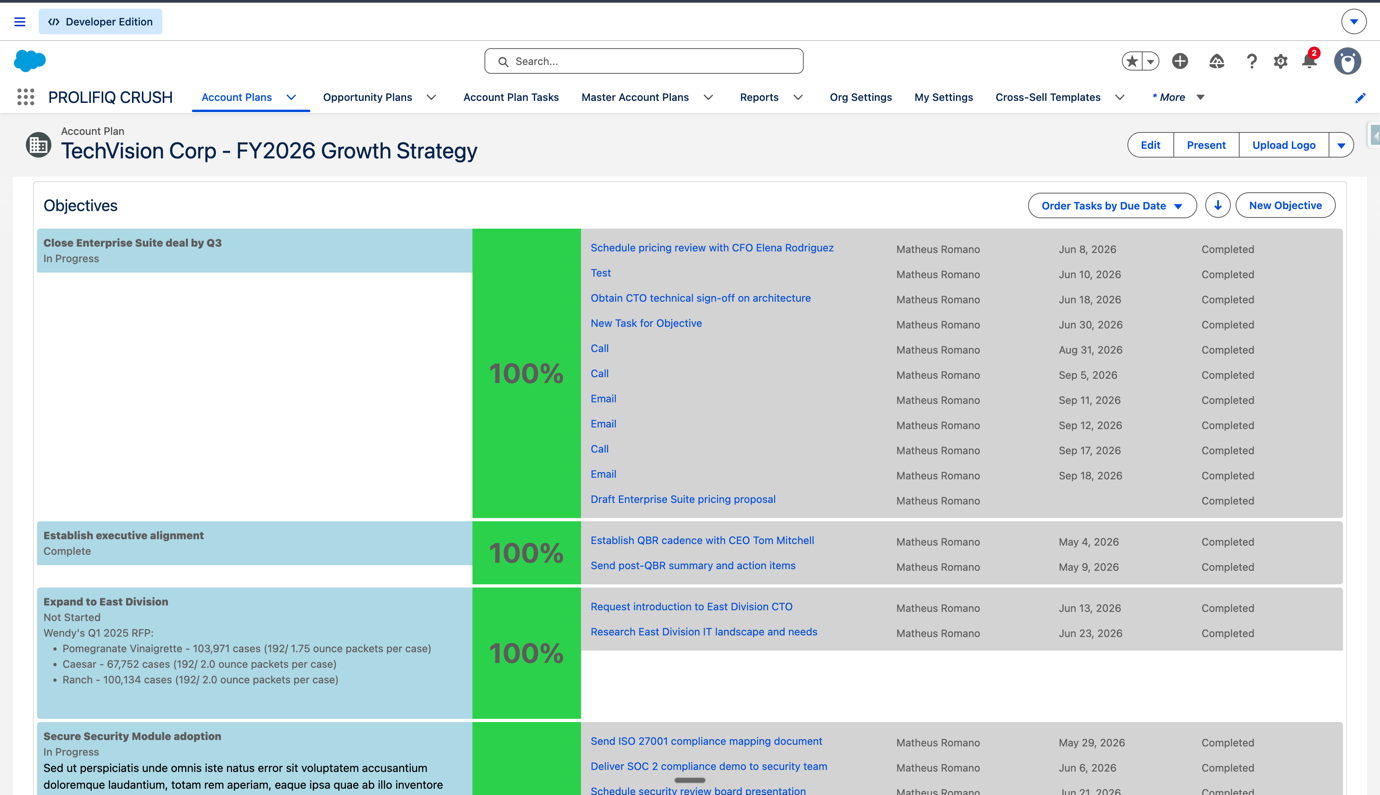
After the fix:
CRUSH
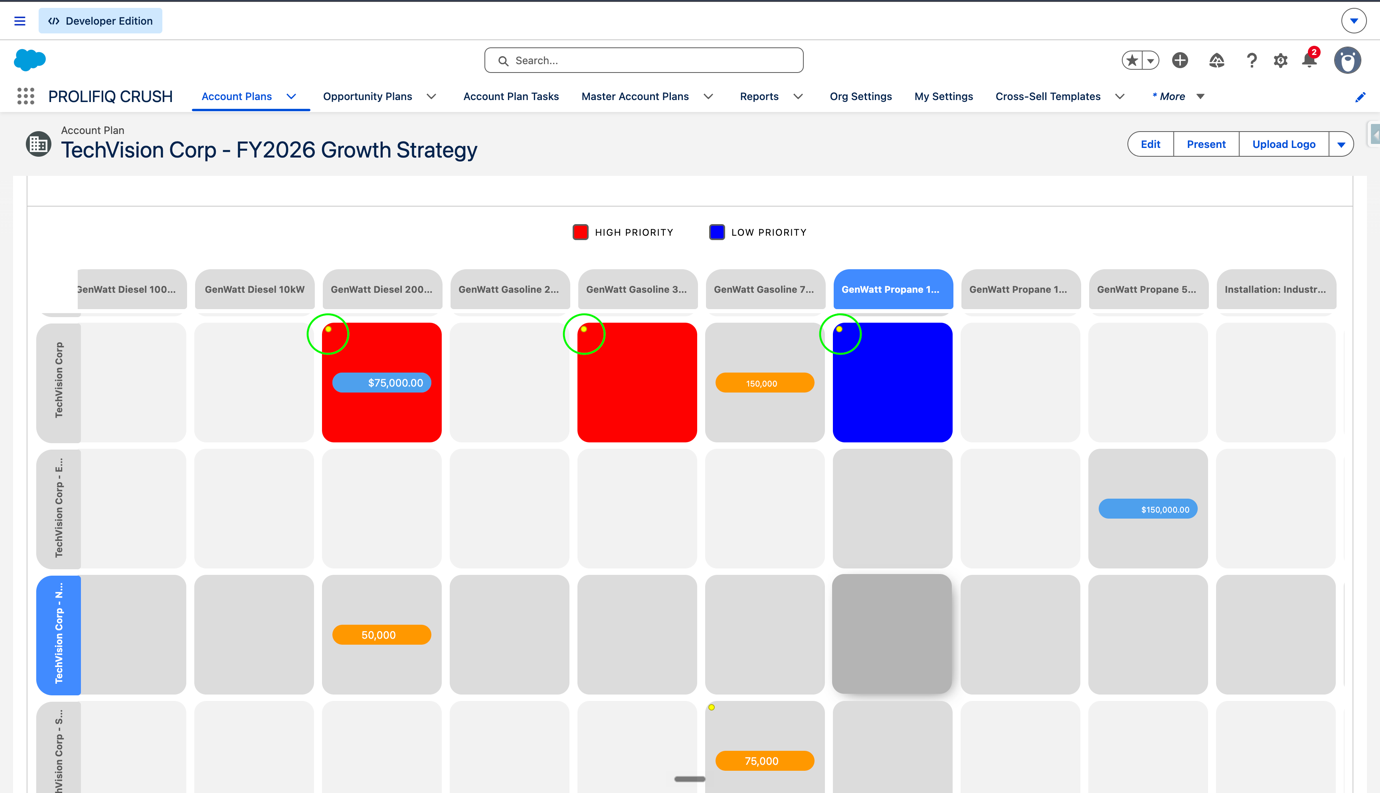
Fixed an issue where yellow dots for cells with notes were misaligned, clipped on cell borders, floating outside the matrix, or detaching during horizontal scrolling. Note indicators now stay anchored in the correct position.
Before the fix:
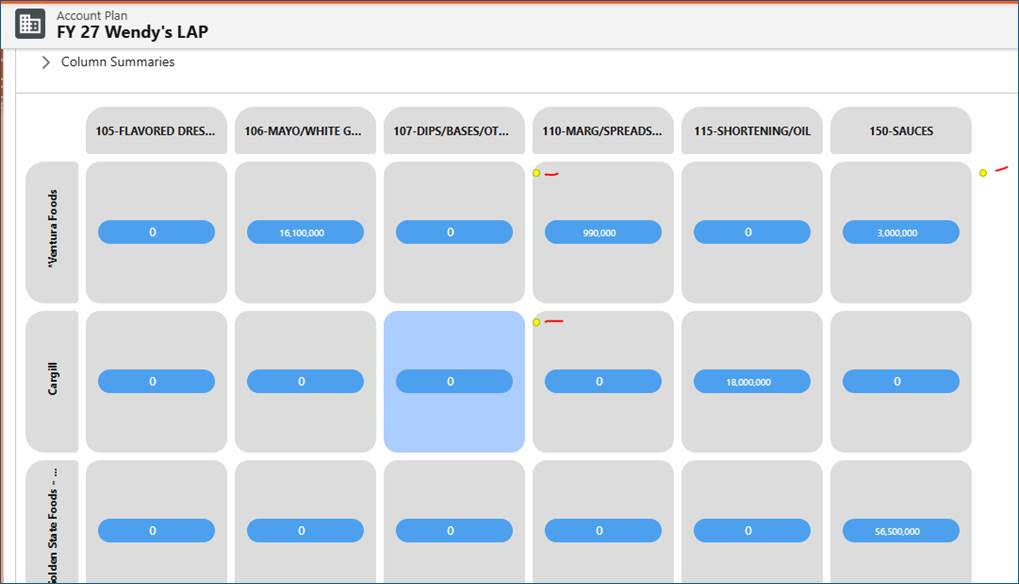
After the fix:
CRUSH
Fixed inflated Health Scores when using Percentage-based scoring with time decay enabled. Time decay is now applied correctly after the category threshold is reached. The Health Score component now matches the calculated score fields on the Account Plan record. Default points-based scoring is unchanged.
Install or upgrade from the Salesforce AppExchange using Get It Now. Choose production or sandbox when prompted.
CRUSH
Clicking or tapping an Objective's name on the Account Plan now opens the Objective record on both desktop and Salesforce Mobile. Before this patch, the click or tap did not register and users had to reach Objectives through global search or the Objective tab.
Questions? Reach out to support@prolifiq.com.
Install or upgrade from the Salesforce AppExchange using Get It Now. Choose production or sandbox when prompted.
This release unblocks core CRUSH workflows: Standard Users can open Opportunity Plans, Present Mode PDF export is reliable, templates load correctly, and Objective tables work on mobile.
CRUSH
Standard Users can now access Opportunity Plans in the CRUSH app, so they can see and work from those plans without a higher-privilege profile.

CRUSH
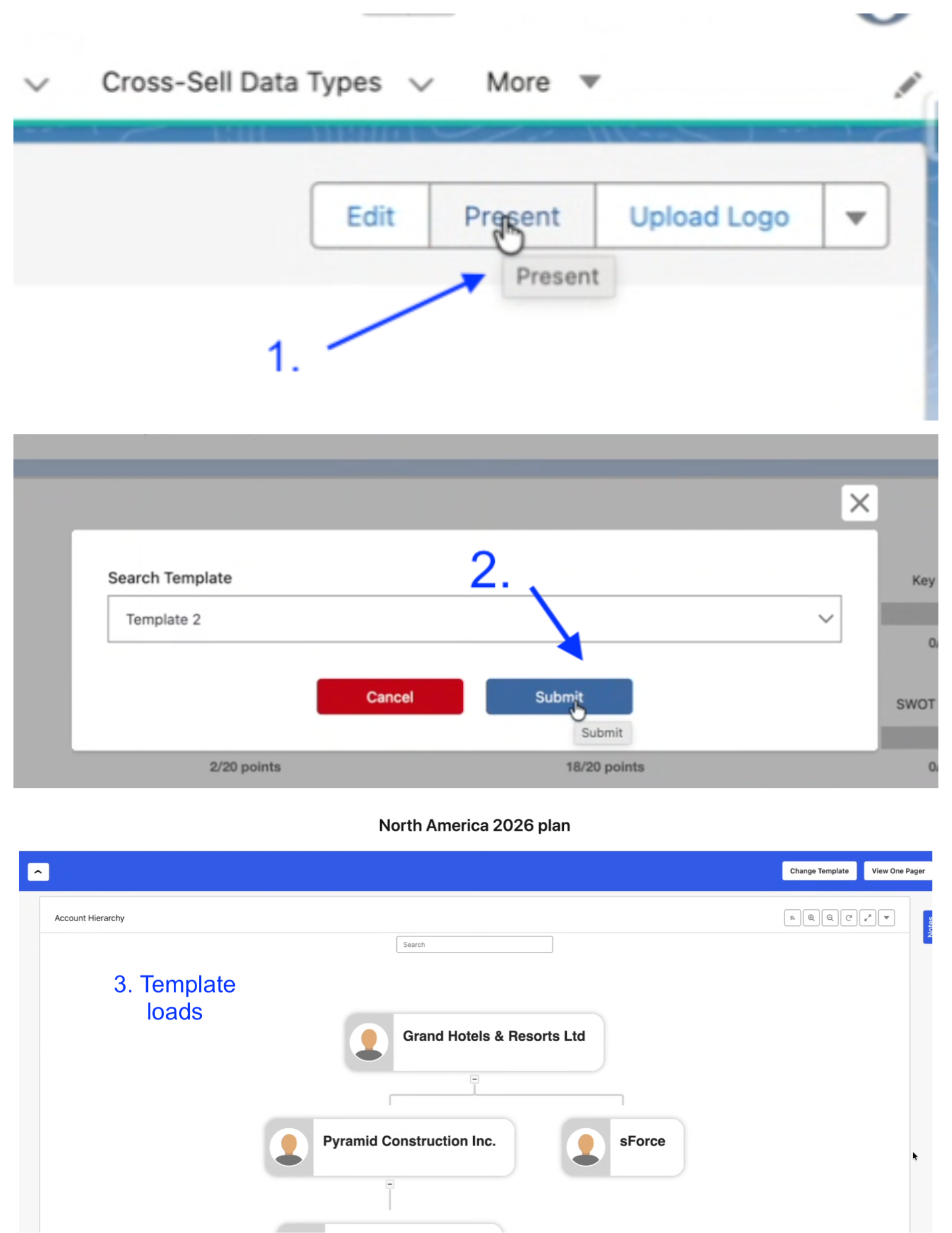
Fixed issues where Present Mode templates failed to load, which left buttons and controls unusable when starting a presentation.
CRUSH
Resolved unresponsive download buttons on PDF-generated pages so users can save documents from Present Mode.
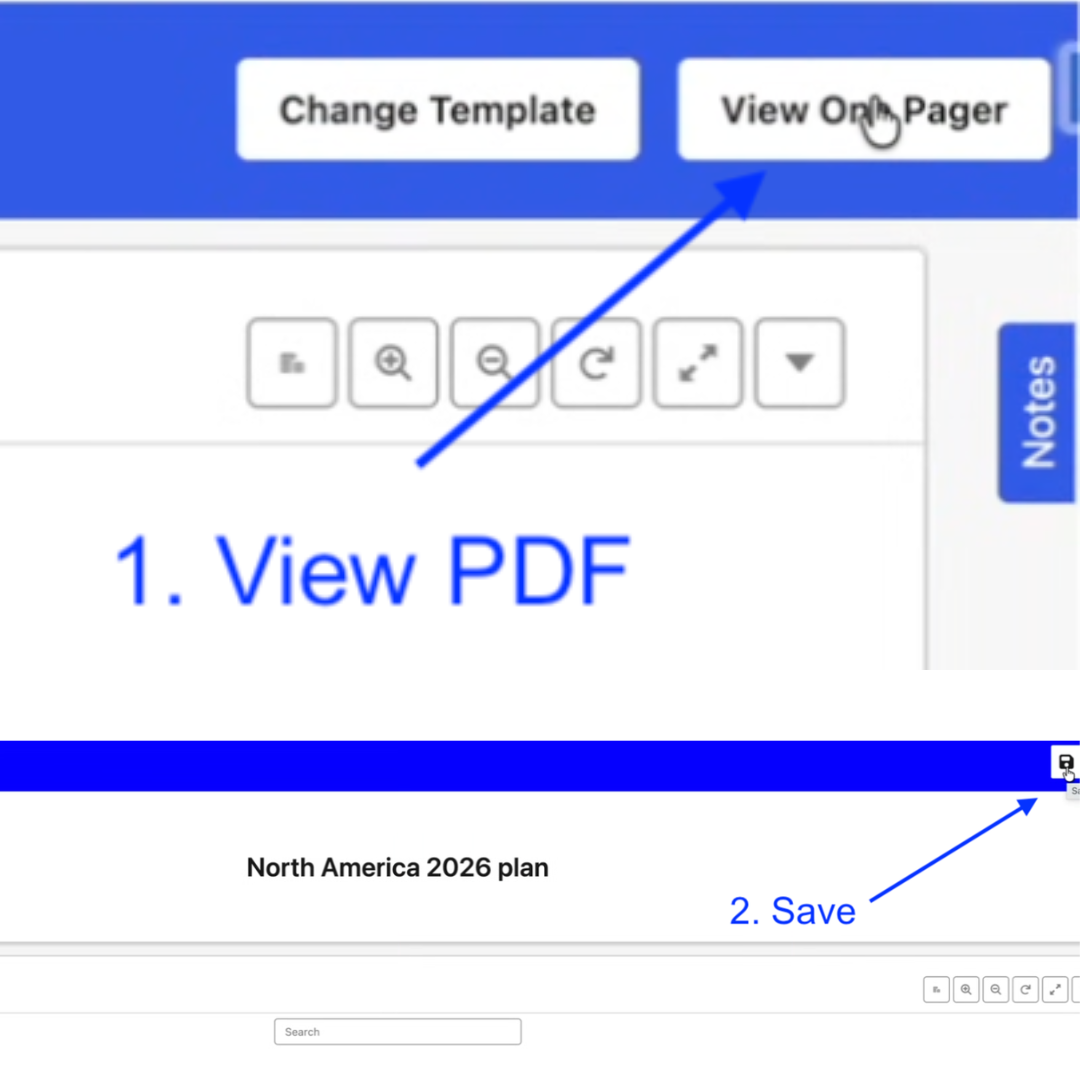
CRUSH
Fixed failures during PDF download in Present Mode so users can share or archive presentation documents.
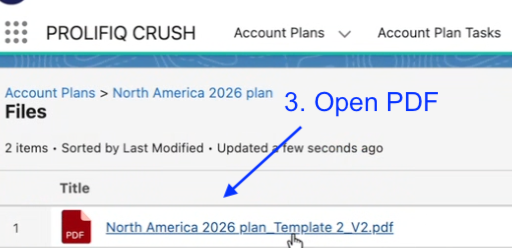
CRUSH
PDF export is formatted for live presentations, with multi-page A4 landscape output and clean page breaks. This release supports A4 landscape only.
.png)
CRUSH
Fixed display and interaction problems with Objective Table and Summary components on mobile, so field reps can view and update account planning data on the go.
.png)
Install or upgrade from the Salesforce AppExchange using Get It Now. Choose production or sandbox when prompted.