Account intelligence is the working knowledge a revenue team holds about each target or customer account: who the buyers are, what the company is doing, how healthy the relationship is, and where the next opportunity sits. Most teams have pieces of it in Salesforce, a few more in rep inboxes, and the rest in news alerts nobody reads. The result is that every account review starts with a scramble to rebuild the picture.
This guide explains what account intelligence includes, how it differs from sales intelligence and revenue intelligence, how to build it inside Salesforce, and how to turn it into action instead of another dashboard.
What account intelligence actually is
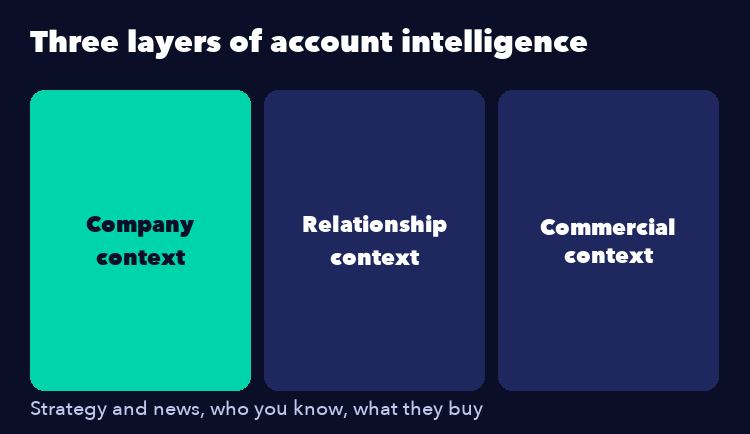
Account intelligence is a structured, current view of one account, built from three kinds of information:
Company context. Strategy, funding, leadership changes, technology stack, and news that shifts priorities.
Relationship context. Who you know, how deep each relationship runs, who is a champion, who is a blocker, and where you are single threaded.
Commercial context. What the account has bought, what it uses, what it could buy next, and what is at risk at renewal.
The first kind is easy to buy. The second and third only exist if your team records them, which is why account intelligence is as much a process problem as a data problem.
Account intelligence vs sales intelligence vs revenue intelligence
The terms overlap, and vendors use them loosely. A working split:
Sales intelligence is mostly about finding and contacting prospects, such as contact data, firmographics, and intent signals. Our sales intelligence software guide covers that category.
Revenue intelligence analyzes pipeline and conversations to forecast and coach. See revenue intelligence for how it works.
Account intelligence sits between them and focuses on one account at a time. It is the layer that tells a seller what to do next in a named account, which matters most in enterprise and strategic account selling where deals involve many stakeholders and run for months.

What good account intelligence includes
A useful account view answers six questions without anyone opening five tabs:
Who are the stakeholders? A current stakeholder map with roles, influence, and sentiment.
How strong is each relationship? Last contact, owner, and depth. Relationship mapping makes this visible.
What do they own from us? Products, usage, contract dates, and open support issues.
Where is the white space? Business units, products, and use cases not yet sold. A white space analysis turns that into a plan.
What changed recently? Leadership moves, funding, acquisitions, and hiring patterns.
What is the next best action? One or two specific moves with an owner and a date.
How to build account intelligence in Salesforce
Keep the intelligence where reps already work. Every tool you add outside the CRM creates a second source of truth and a sync to maintain.
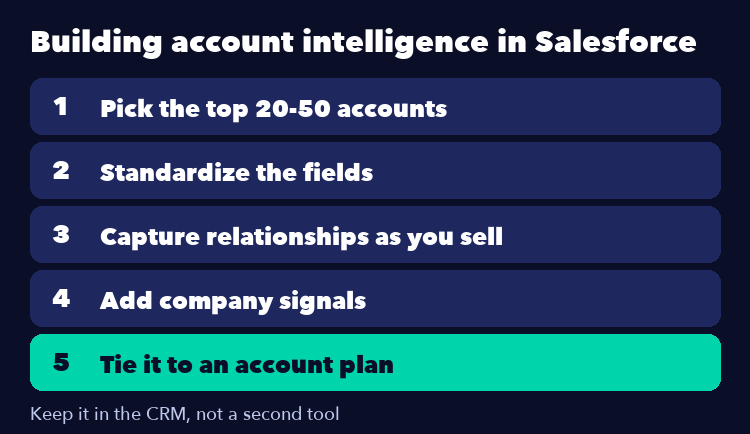
Step 1: pick the accounts. Start with your top 20 to 50 named accounts, not the whole database.
Step 2: standardize the fields. Agree on one definition for stakeholder role, relationship strength, and opportunity stage. Inconsistent fields are the main reason intelligence goes stale.
Step 3: capture relationships as you sell. Log contact roles on every opportunity and review the map before each account review.
Step 4: add company signals. Pipe news and trigger alerts into the account record, or use AI research tools to produce a short brief per account.
Step 5: tie it to a plan. Intelligence without an account plan is trivia. Our Salesforce account planning guide shows how to connect the two.

Turning intelligence into action
The test of account intelligence is whether it changes what a seller does this week. Three habits make that happen.
Review it in a fixed rhythm. A 30 minute monthly review of each strategic account, with the map and plan on screen, beats a quarterly scramble.
Trigger plays from signals. When a champion leaves or a new executive arrives, the plan should update and a relationship rebuild action should be created the same day.
Give managers the same view. If a manager sees the same account page as the rep, pipeline reviews become about decisions instead of status.
Common mistakes
Buying data before defining process. A feed of news and contacts does nothing if nobody owns the account view.
Tracking everything. Twenty fields per account that nobody updates are worse than six that stay current.
Keeping intelligence in slides. If the picture lives in a deck, it is stale the day after the review.
Ignoring relationships. Company news is public. Your relationship depth is the part competitors cannot buy.
Frequently asked questions
What is account intelligence?
It is a current, structured view of a single account that combines company context, relationship context, and commercial context so sellers know what to do next.
How is account intelligence different from sales intelligence?
Sales intelligence helps find and contact prospects. Account intelligence helps you understand and grow a specific named account, including relationships and white space.
Do I need a separate tool for account intelligence?
Not necessarily. Many teams build it in Salesforce with standardized fields, contact roles, and an account plan, then add research tools for company signals.
Which accounts need it?
Start with strategic and named accounts where deals involve several stakeholders and long cycles. Transactional segments rarely justify the effort.
How often should it be updated?
Relationship and plan data should be refreshed at least monthly for strategic accounts, and immediately after any major stakeholder change.
Keep your account intelligence where your team works. Prolifiq CRUSH is Salesforce native account planning, so stakeholder maps, relationship strength, white space, and account plans live in the same system as your pipeline. Explore Prolifiq CRUSH to see how it turns scattered account knowledge into one view your whole team can act on.